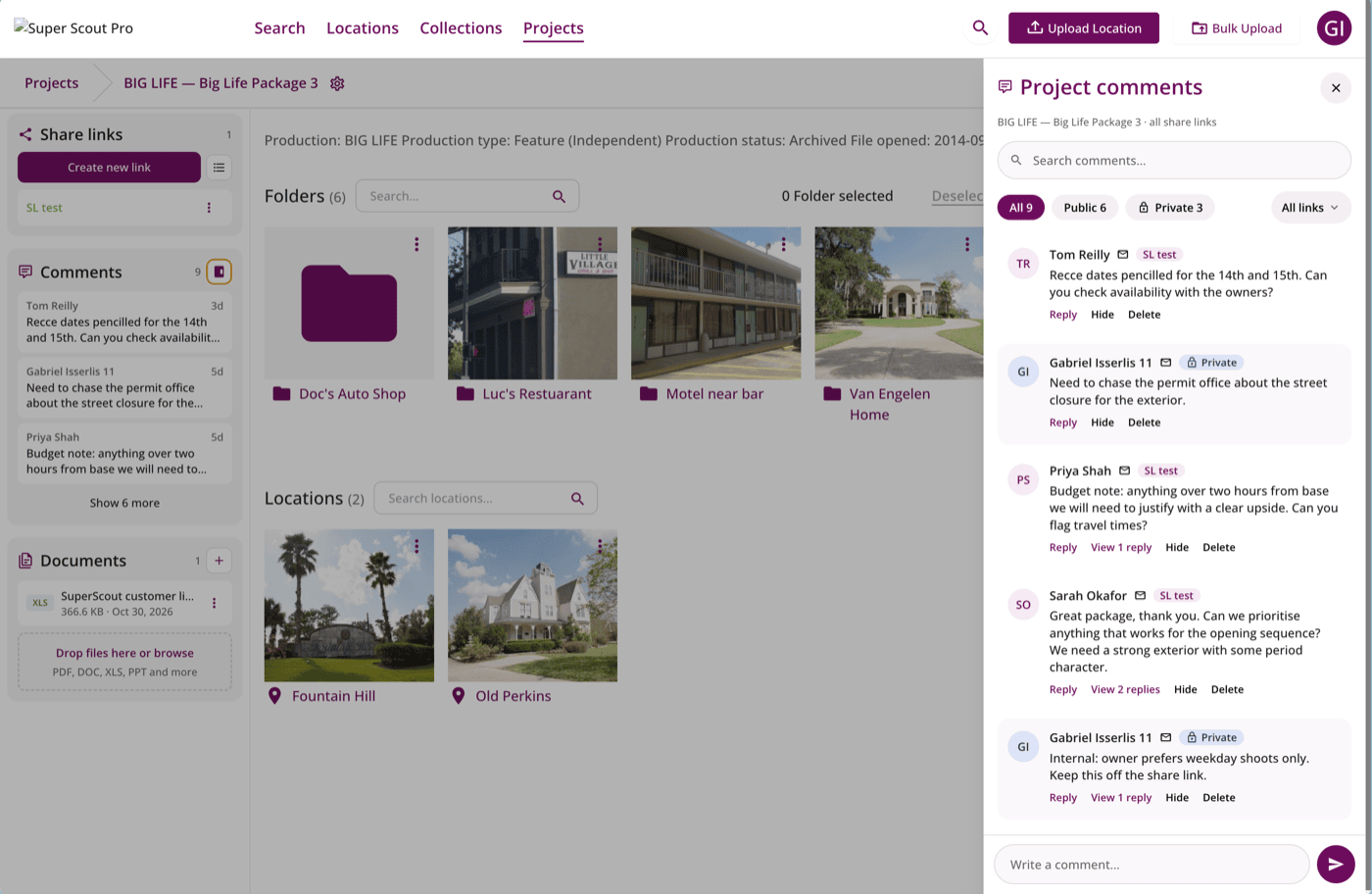
Our latest release brings one of the things you’ve asked for most: working on a project together with your team.
Here’s everything that’s new for projects in Super Scout Pro.
Work on a project together
Invite colleagues into a project. Bring the people you’re working with into a single project so you can build it together, without giving them access to the rest of your workspace.
Private project comments. Everyone invited to a project can discuss it and its locations in comments, right where the work is. These comments are private to the people in the project. Nobody you send a share link to can see them.
Get feedback from share link recipients. When you send options to a director or producer, you can turn on comments and reactions on the share link so they can respond right there. You can reply to them from within the project, and they never see your team’s private comments. Read about comments and reactions on share links.
Documents at project level. Keep scripts and other reference documents on the project itself, so everyone working on it has them to hand.
Export CSV: all the details you need for a scout
Export CSV now has its own option in the project menu. In one click it exports all the details of a project: every location’s name, address and contact details, and the folders they’re in. It’s the quickest way to get the details together when you’re preparing for a scout.
Folders
Create folders in one step. Make a new folder straight away, without going through the full Add Locations flow.
Folder colours. Give folders their own colour so the ones that matter stand out at a glance.
Search inside folders. Folder search now finds the locations inside your folders, not just the folder names.
Share links for your projects
- Automatic share links for new projects. Create the share link as you create the project.
- Choose shown or hidden during project setup. Decide up front whether new locations appear on the link. For freelance accounts this defaults to Shown.
- Update Link. Refresh a share link’s content with one click.
- Folder-only maps. Show only the locations in the currently selected folder on the share link’s map.
Smaller fixes
- Thumbnail sizes. Make location thumbnails bigger or smaller to suit how you like to browse.
- Clearer messages. Deleting a subfolder now says “Folder deleted”, not “Project deleted”.
Tell us what you think
All of this came from conversations with the teams who use Super Scout Pro every day. If something here makes your work easier, or there’s something you’d still like to see, drop us a message on WhatsApp or email us.
Everything above is live now. Log in and try it →
Try project collaboration for yourself.
Super Scout Pro is free to get started — no card needed. See what it can do for your locations workflow.
Try it now →