Share links are how most teams send locations to productions. Our latest release turns them into a two-way conversation, gives you more control over who can open them, and makes them quicker to set up.
Here’s what’s new for share links in Super Scout Pro.
Comments and reactions
You can now turn on comments and reactions on a share link, so the people you send it to can respond right there, on the link itself. The conversation stays in one place instead of being scattered across emails.
It’s completely optional. You choose which links have it switched on, and you choose the kind of reaction that suits the job:
- Star ratings
- Upvote and downvote
- Traffic lights
Named templates
Save as many share link templates as you like, and name them however suits you, such as “Client shortlist” or “Recce pack”. When you create a link, pick the right template and every setting is applied in one go.
More control over who sees what
- Expiry dates. Set a share link to stop working after a date you choose.
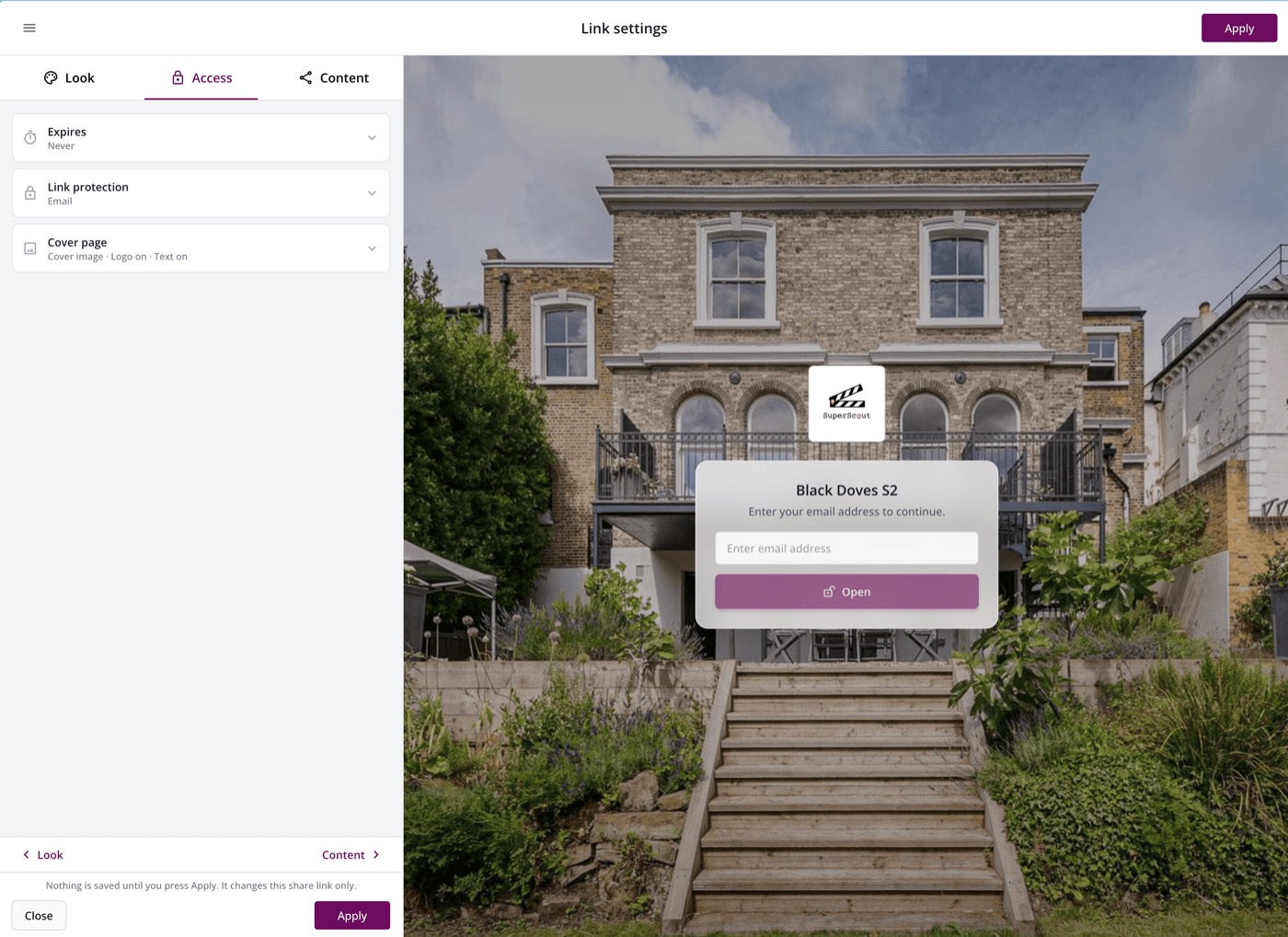
- Email access. Ask recipients to enter their email address before they can view a link, so you know exactly who opened it.
- A branded cover. Choose a cover photo for each share link. It uses the project’s cover image by default, and you can override it. When a link is protected, the cover sits faded behind the password or email box, so even the sign-in screen looks like yours.
Better maps
- Set the map’s zoom level.
- Choose pin colours when you’re showing locations only.
Also in this release
You can now invite colleagues into a project to build it together, discuss it in private comments, and export all the details you need for a scout in one click. Read about project collaboration.
Tell us what you think
All of this came from conversations with the teams who use Super Scout Pro every day. If something here makes your work easier, or there’s something you’d still like to see, drop us a message on WhatsApp or email us.
Everything above is live now. Log in and try it →
Try the new share links for yourself.
Super Scout Pro is free to get started — no card needed. See what it can do for your locations workflow.
Try it now →